Agent Configuration
Configure model selection, organization preferences, and cost controls for the Sitemarks AI agent.
The AI agent can be tuned to match your organization's needs. Configuration is managed at the organization level from Settings > AI Agent, where admins can select a model, review plan limits, and monitor usage.
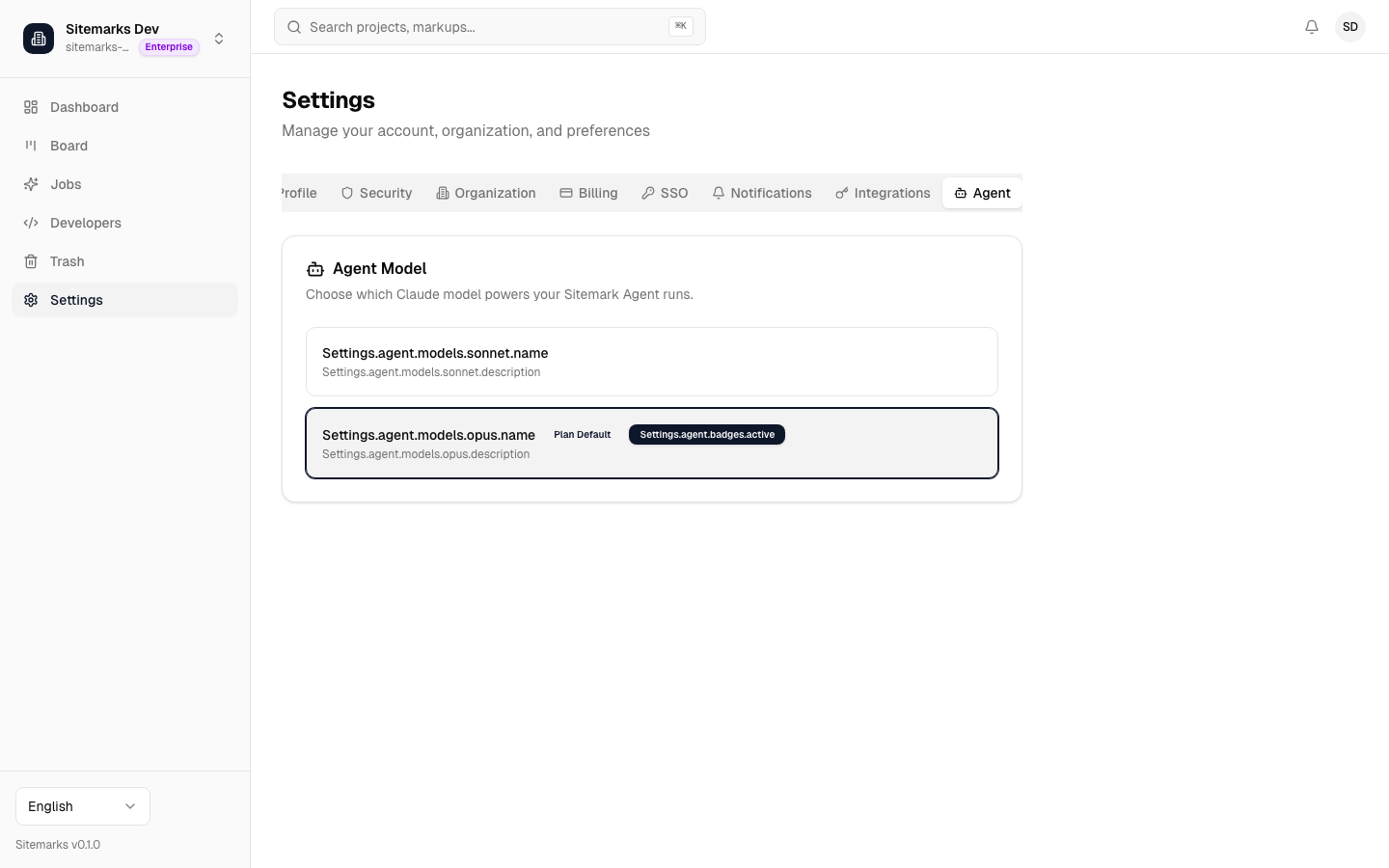
Model Selection
Each plan tier includes a default model, but paid plans can override the choice:
| Plan | Default Model | Available Models | |------|--------------|-----------------| | Free | Qwen 3.5 Plus | No override — fixed model. | | Pro | Claude Sonnet 4.6 | Claude Sonnet 4.6, Claude Opus 4.6 | | Enterprise | Claude Opus 4.6 | Claude Sonnet 4.6, Claude Opus 4.6 |
To change the model, open the agent settings page and select from the dropdown. The new model applies to all future runs — it does not affect jobs that are already in progress.
Balancing speed and quality
Claude Sonnet is faster and less expensive per run, making it a good default for most tasks. Claude Opus handles more complex multi-file changes with higher accuracy but costs more. Choose based on the complexity of the work your team typically annotates.
Plan Limits and Cost Management
Every plan enforces guardrails that prevent runaway costs:
- Runs per hour / per day — caps how many agent jobs your organization can trigger.
- Concurrent runs — limits how many jobs execute in parallel (1 on Free, 2 on Pro, 5 on Enterprise).
- Budget per run — the maximum token spend for a single job before it is automatically stopped.
- Daily cost cap — a hard ceiling on total agent spend per calendar day.
These limits are enforced automatically and cannot be overridden. If a limit is reached, the agent returns a clear error explaining which quota was hit and when it will reset.
Daily cost cap
Once your organization reaches its daily cost cap, no new agent runs can be triggered until the next calendar day (UTC). Plan ahead for high-volume review days.
Security and Isolation
Every agent run works in a secure, isolated environment that only has access to your repository code. It cannot reach your production systems, databases, or other repositories.
The agent reads your code, makes edits, and pushes a branch — all in isolation. Your repository only receives the final pull request. Once the run completes, the environment is cleaned up automatically and nothing is retained.
Next Steps
- AI Agent Overview — understand the full job lifecycle and tracking features.
- Integrations — connect a GitHub repository to enable agent runs.