Billing & Plans
Compare plans, manage your subscription, and track usage.
Sitemarks offers three plan tiers designed to scale with your team. The billing page lets Owners view current usage, compare plans, and manage their subscription through Stripe.
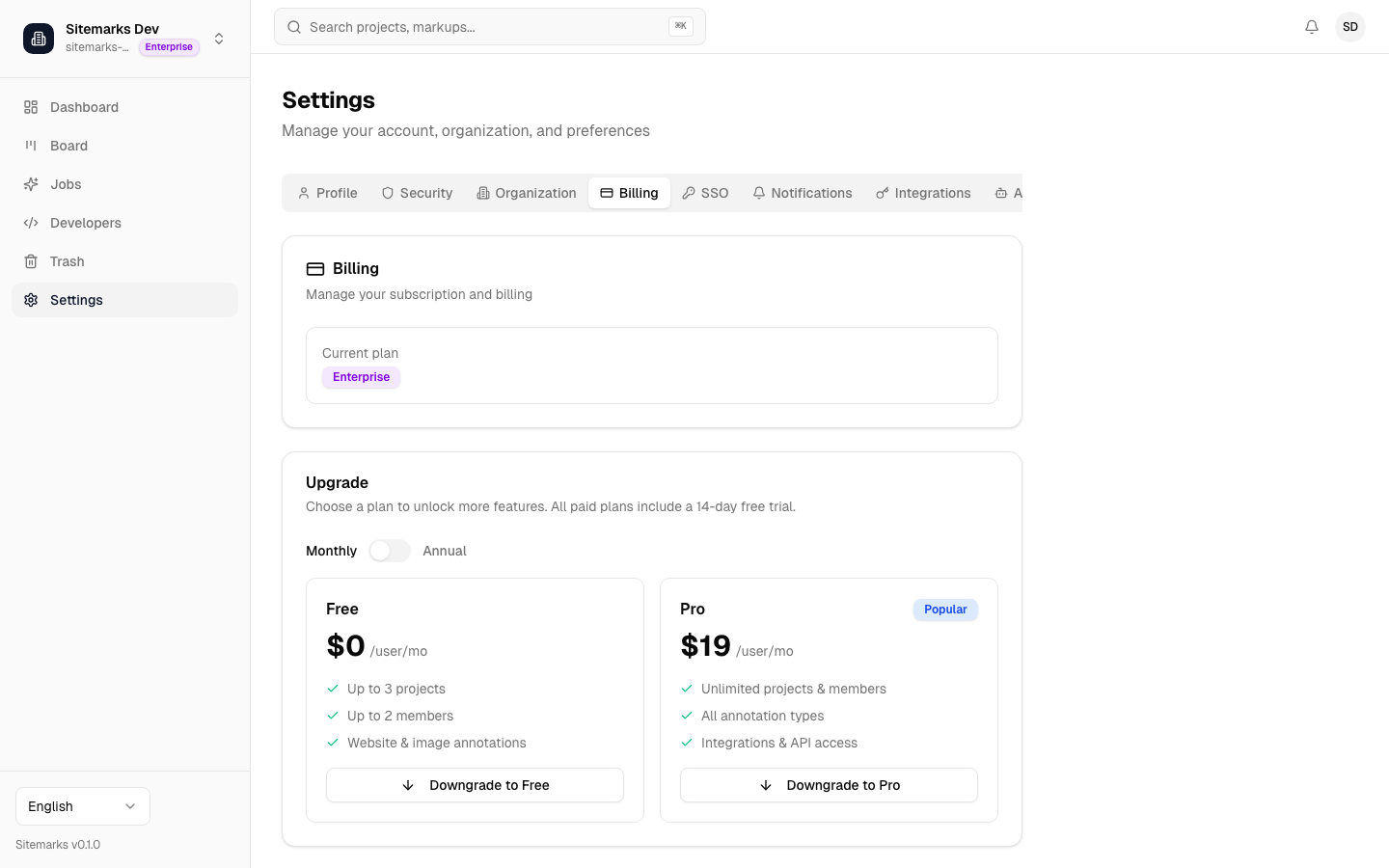
Plan Comparison
| Feature | Free | Pro | Enterprise | |---|---|---|---| | Projects | 3 | Unlimited | Unlimited | | Team members | 2 | Unlimited | Unlimited | | Storage | 1 GB | 50 GB | Unlimited | | Annotations | Unlimited | Unlimited | Unlimited | | Integrations | Limited | All | All | | SSO (SAML/OIDC) | — | — | Yes | | SCIM provisioning | — | — | Yes | | Audit log export | — | — | Yes | | Priority support | — | — | Yes |
Free tier
The Free plan is available indefinitely with no time limit. It includes core annotation and collaboration features for small teams or individual use.
Upgrading Your Plan
Only organization Owners can manage billing. To upgrade:
- Navigate to Settings and open the Billing tab.
- Review the plan comparison and click Upgrade on your desired plan.
- You will be redirected to Stripe's secure checkout to enter payment details.
- Once payment is confirmed, the new plan takes effect immediately.
Plan upgrades are prorated — you only pay the difference for the remainder of your current billing cycle. Downgrades take effect at the end of the current billing period.
Annual billing
Save on your subscription by choosing annual billing. Annual plans are discounted compared to monthly pricing and are available for both Pro and Enterprise tiers.
Managing Your Subscription
From the Billing page, you can:
- View invoices — access past invoices and download PDF receipts.
- Update payment method — change your credit card or billing details through the Stripe customer portal.
- Cancel subscription — downgrade to the Free plan at the end of your billing cycle. Your data is preserved, but features and limits will revert to Free tier levels.
Click Manage Subscription to open the Stripe customer portal, where you can handle all payment-related actions.
Usage Tracking
The Billing page displays real-time usage metrics for your organization:
- Projects — number of active projects against your plan limit.
- Members — current member count against your plan limit.
- Storage — total storage consumed by uploaded files, screenshots, and media assets.
Usage bars show your current consumption as a percentage of your plan's allowance. When you approach a limit, Sitemarks will display a warning in the dashboard and notify organization Owners by email.
Exceeding limits
If your usage exceeds your plan's limits after a downgrade, existing resources are preserved but you will not be able to create new projects or invite additional members until usage is within the plan's allowance.
Enterprise Plans
Enterprise plans are designed for large organizations with advanced security and compliance requirements. In addition to unlimited resources, Enterprise includes SSO, SCIM, audit log exports, and priority support.
To set up an Enterprise plan, contact our sales team at sales@sitemarks.ai or upgrade directly from the Billing page.